Turn CIP process data into live visibility, consistent records, and practical performance insights. We integrate Digital Assistant FlowQeeper with agreed data sources to provide monitoring dashboards, automatic cycle reports, custom Power BI reports, and email notifications for your team.
Request CIP Process Digitalization Learn more about FlowQeeper

WHAT IS CIP PROCESS DIGITALIZATION
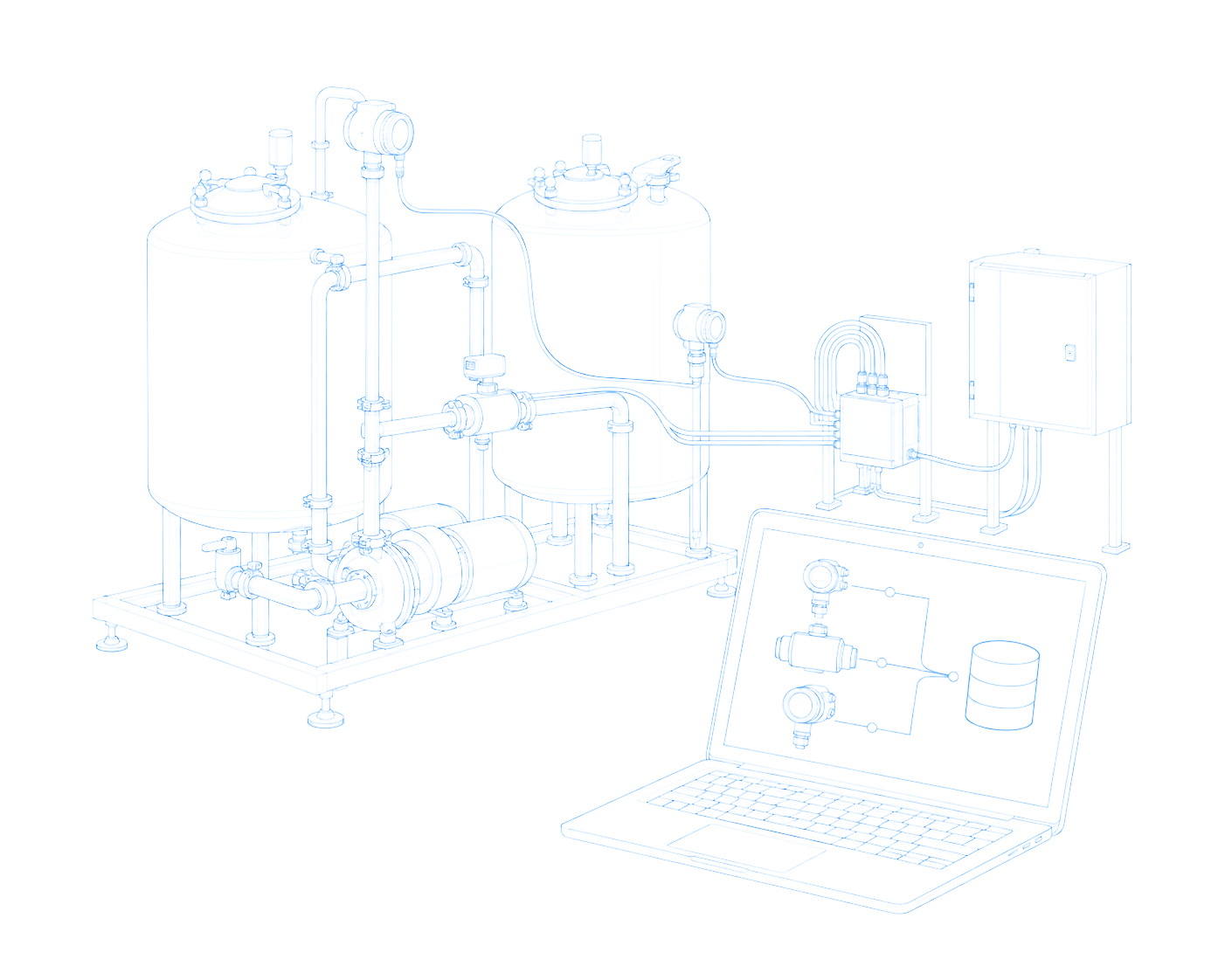
CIP Process Digitalization integrates available cleaning-process data into a structured CIP process monitoring and reporting workflow. We map cleaning lines and CIP cycle data, define KPIs, and configure FlowQeeper for CIP data logging, dashboards, and automated CIP reporting. Operators gain process visibility, quality teams review cycle records, and engineers and managers use CIP process analytics to investigate deviations and prioritise improvements.
DIGITALIZATION OUTCOMES
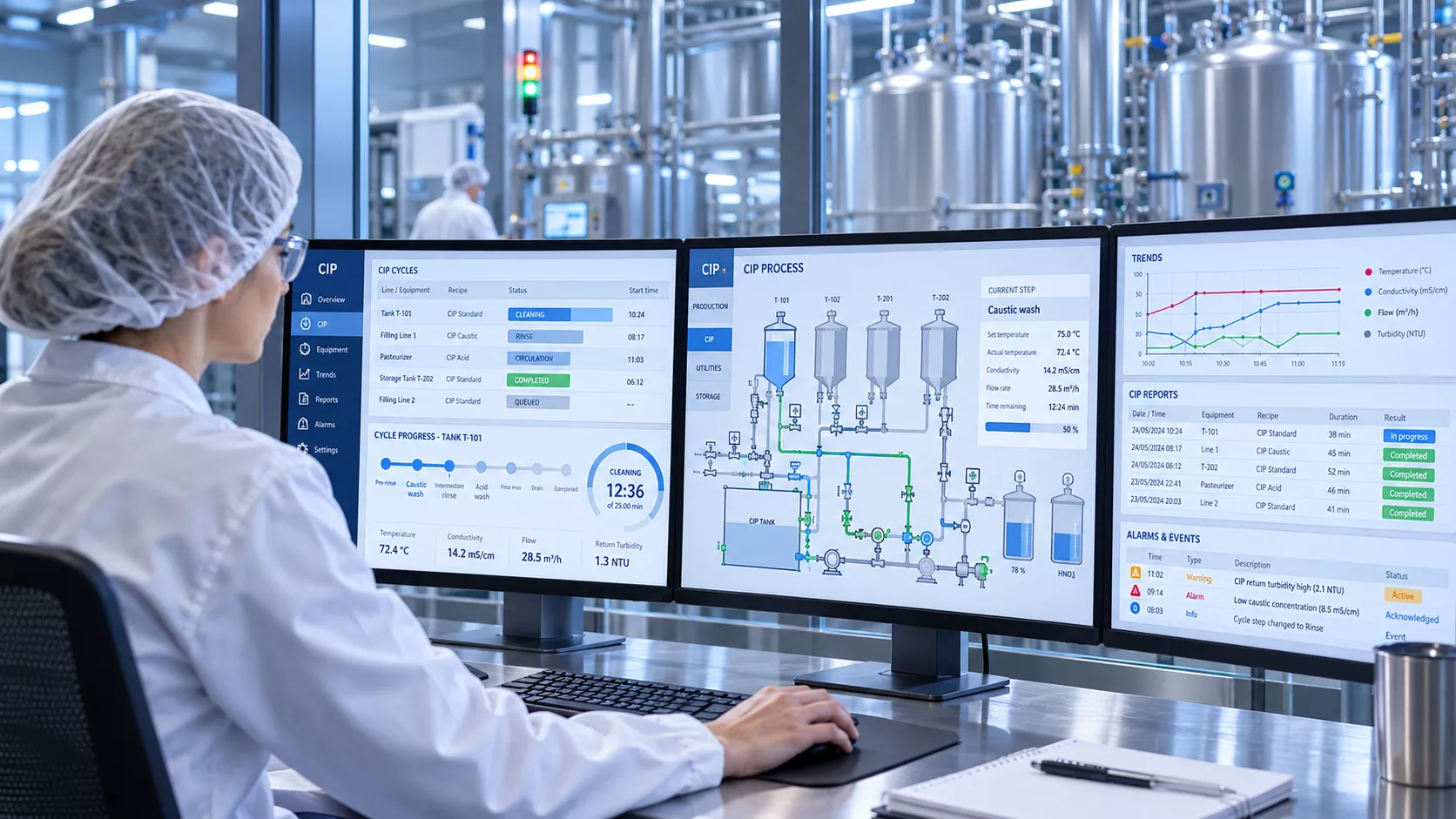
Process information often remains spread across local displays, spreadsheets, and paper records. This makes it difficult to reconstruct a cycle, compare lines, or understand recurring deviations. Digitalization brings agreed data into consistent dashboards and reports, giving production, quality, and engineering teams a shared basis for reviewing what happened and deciding what needs attention.
WHEN THIS SERVICE IS NEEDED
01
Operators or quality teams spend time copying process values, compiling spreadsheets, or collecting records after cleaning.
02
CIP information is available only at local displays, making it difficult to review connected stations or compare performance.
03
Parameter excursions become visible during a later review, delaying investigation and follow-up.
04
Different log formats and missing cycle context make it difficult to reconstruct events or prepare supporting documentation.
05
The team needs measurements and reporting to understand where water, chemicals, energy, or cleaning time are being used.
06
New lines, additional cleaning objects, or optimization targets create a need for consistent monitoring and a measurable baseline.
DIGITAL ASSISTANT FLOWQEEPER
Digital Assistant FlowQeeper brings together monitoring dashboards, automatic cycle reports, custom Power BI reports, and email notifications. We configure these functions around available process data and the way your production, quality, and engineering teams review CIP performance.
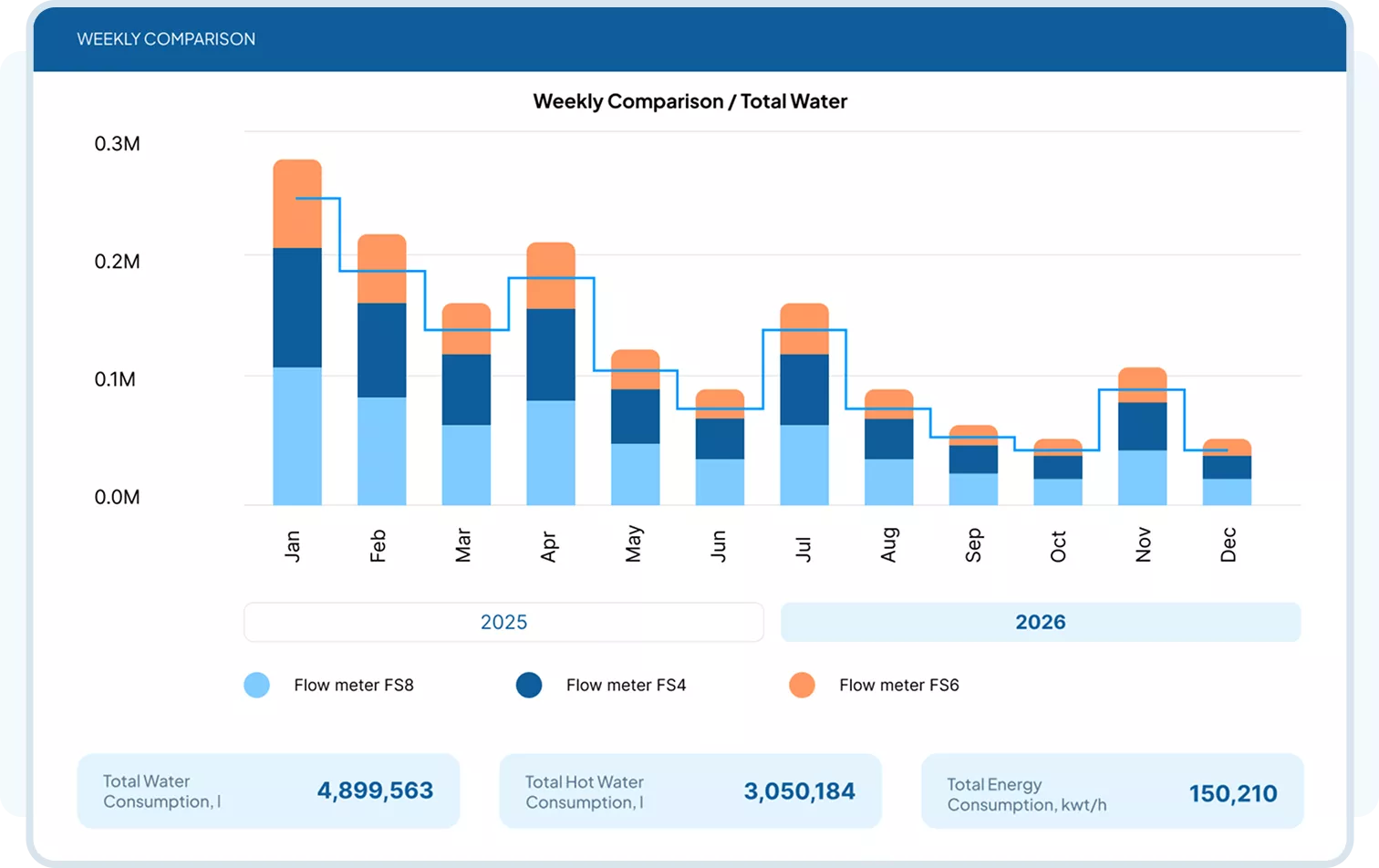
View available CIP parameters on dashboards for connected lines. Automatically generated cycle reports provide a consistent record for reviewing process conditions and timing.
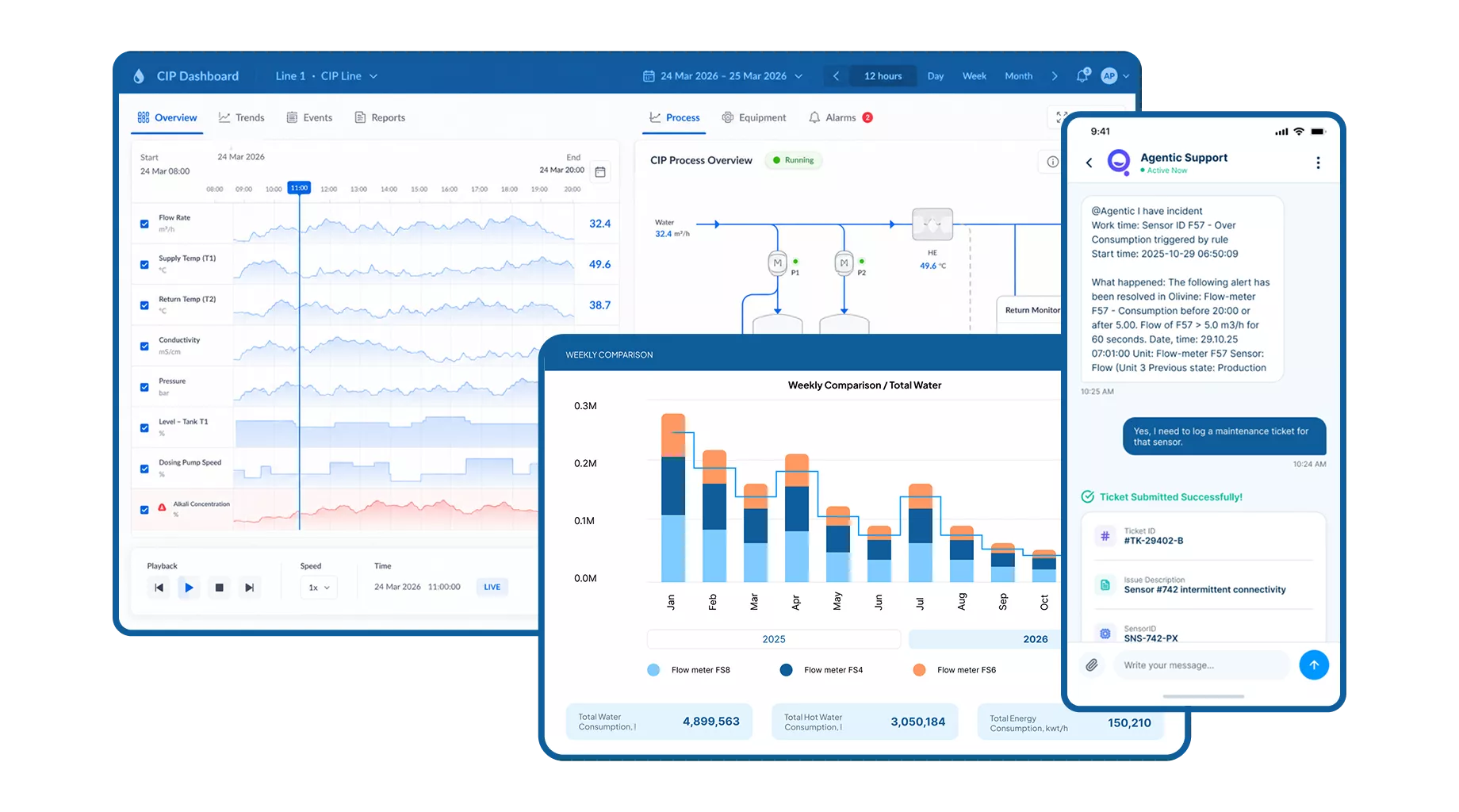
Configure notifications for agreed process conditions and thresholds.
Email alerts inform designated recipients so they can investigate and follow the plant’s response procedures.
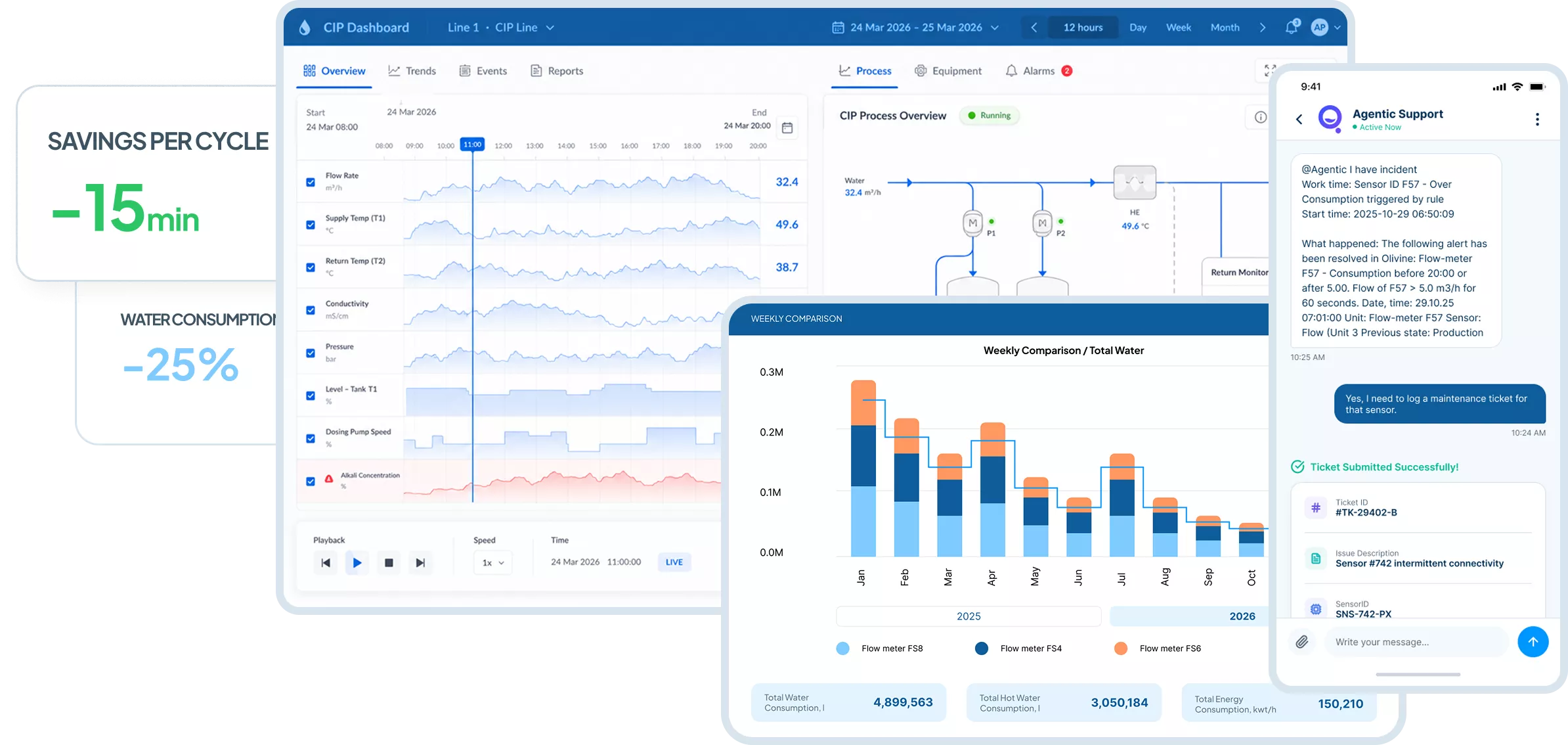
Compare agreed KPIs across selected lines, cycles, and periods. Tailored Power BI reports help teams investigate trends in cycle duration and resource consumption where measurement data is available.
WHAT CAN BE DIGITALIZED
The scope connects the available process signals with the dashboards, cycle records, notifications, and analytics your team needs. Data coverage, report content, KPIs, and alert conditions are defined around the connected equipment and the intended use.
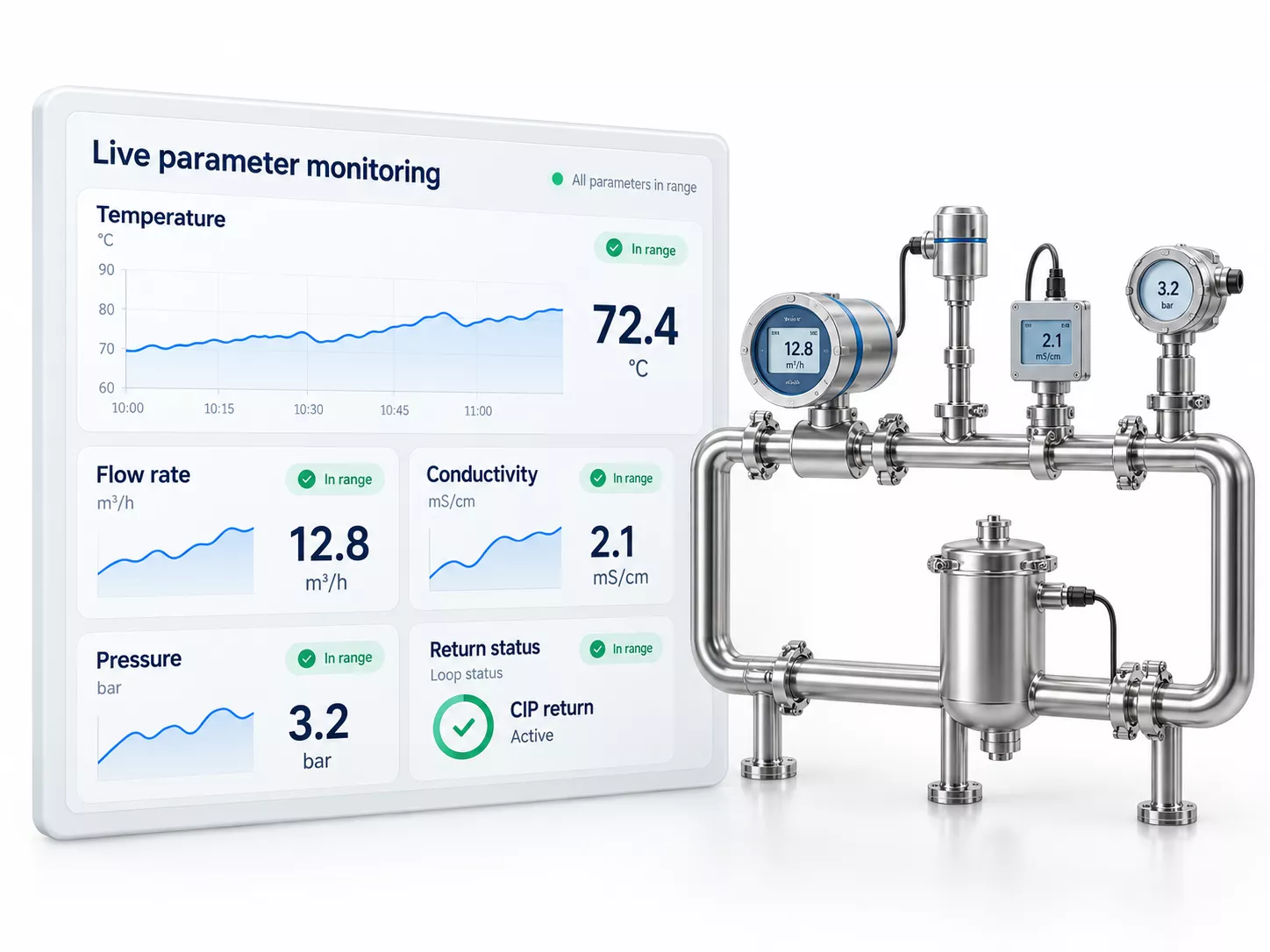
Display available temperature, flow, conductivity, pressure, and other agreed process signals for selected CIP lines.
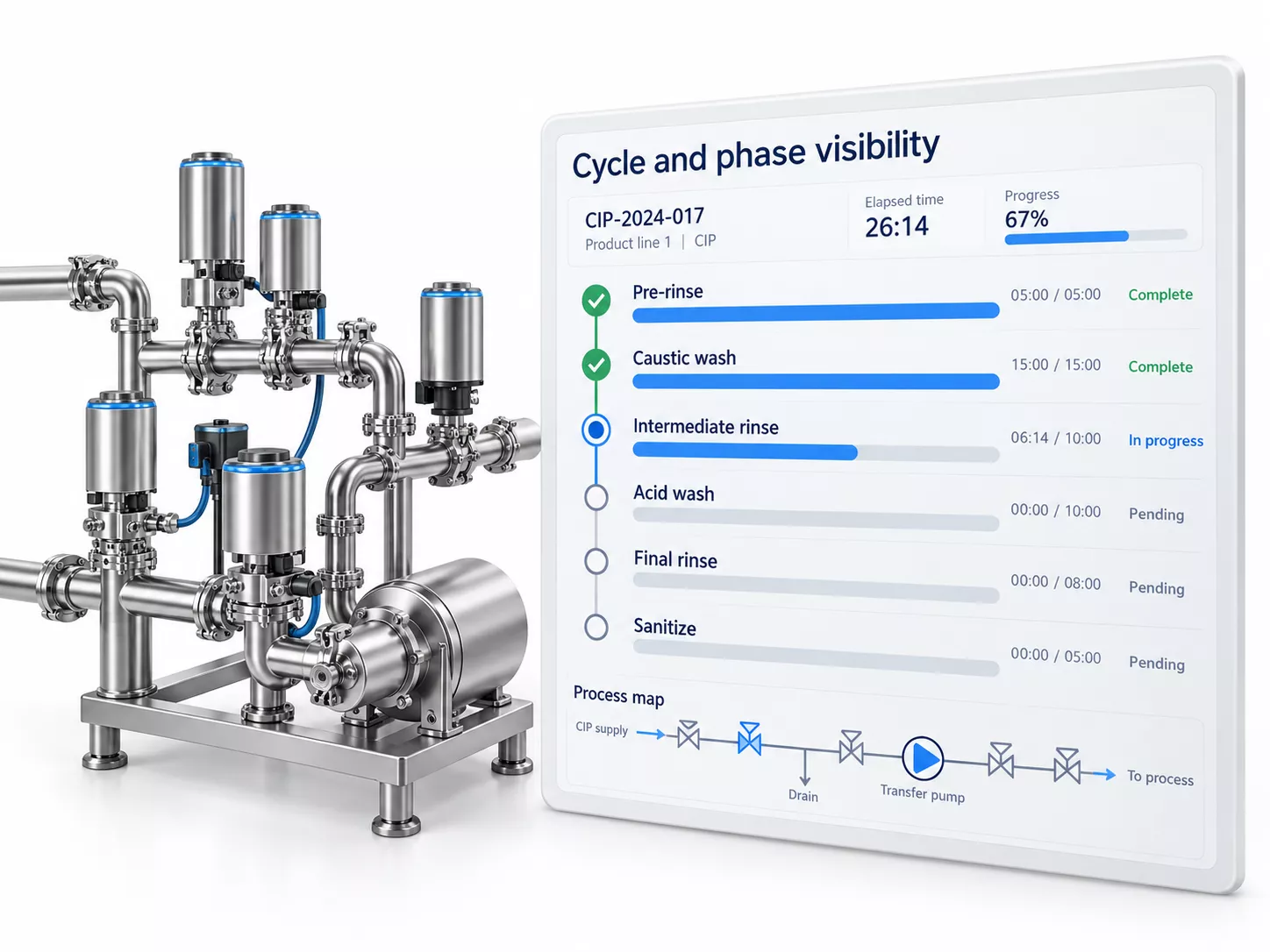
Map available cycle identifiers, phase signals, and timing so recorded values can be reviewed in their cleaning-process context.
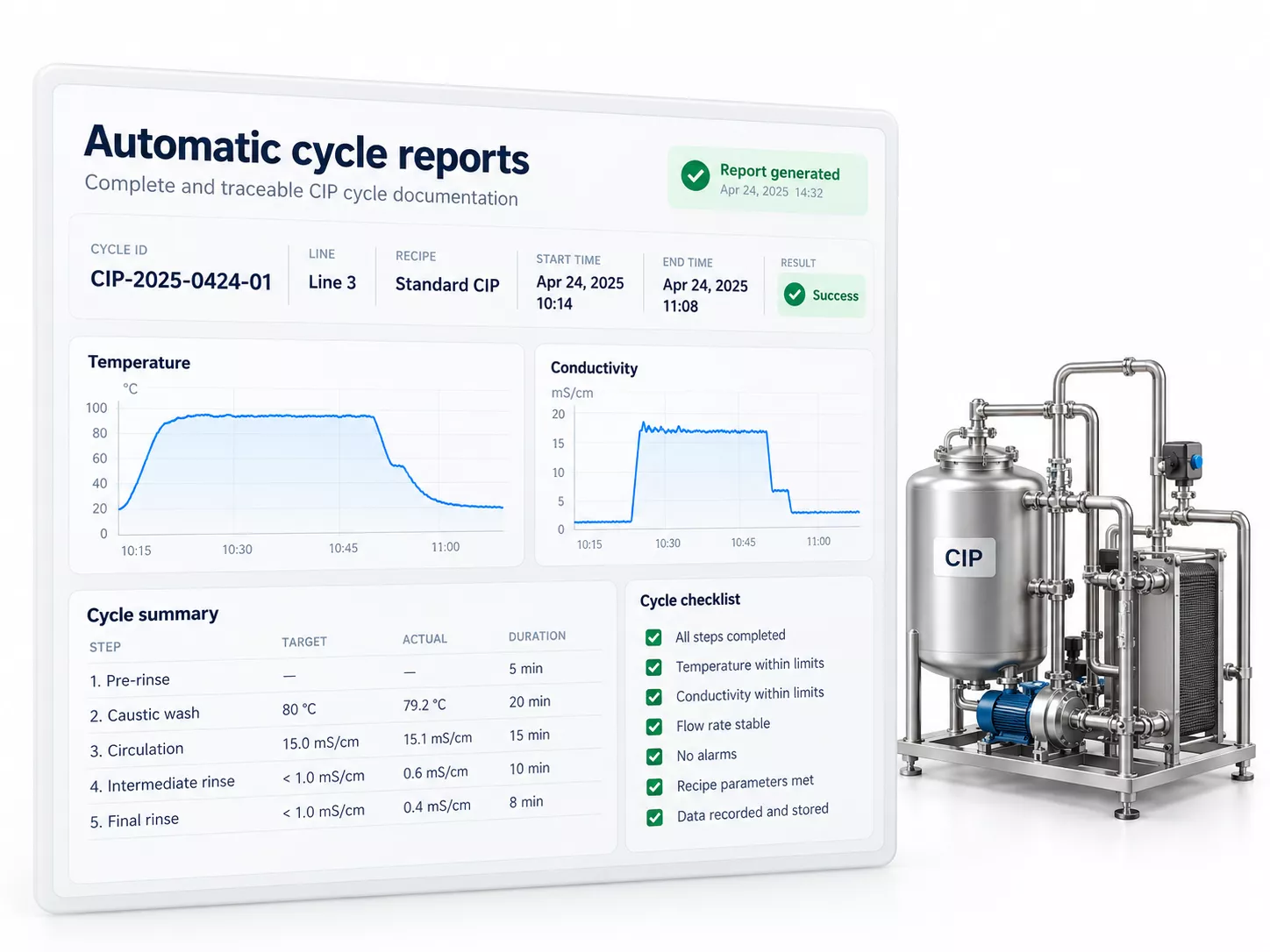
Configure repeatable reports containing the agreed cycle details, parameter history, and information needed for process review.
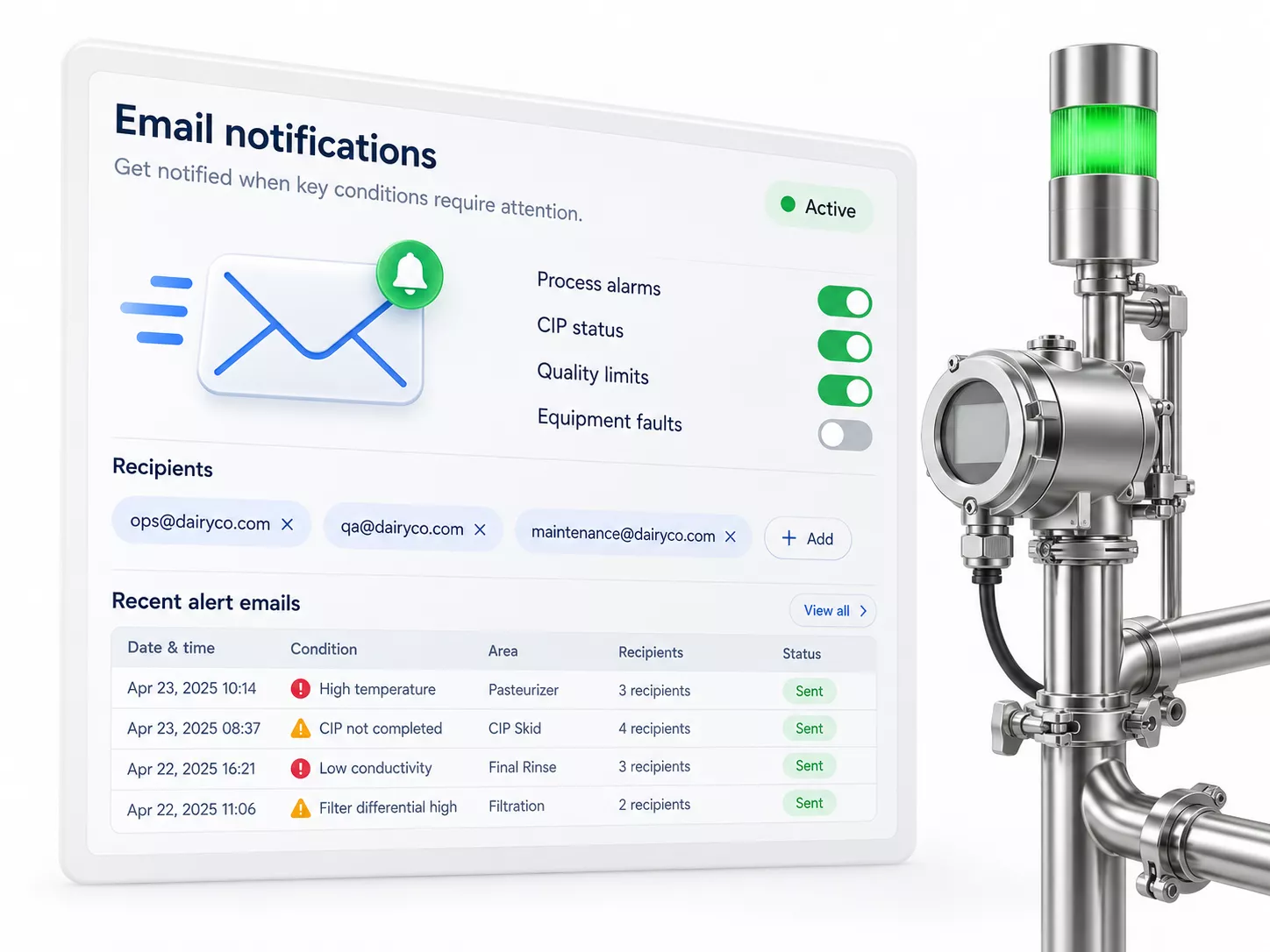
Define alert conditions, thresholds, and recipients to inform responsible personnel about selected process events or deviations.
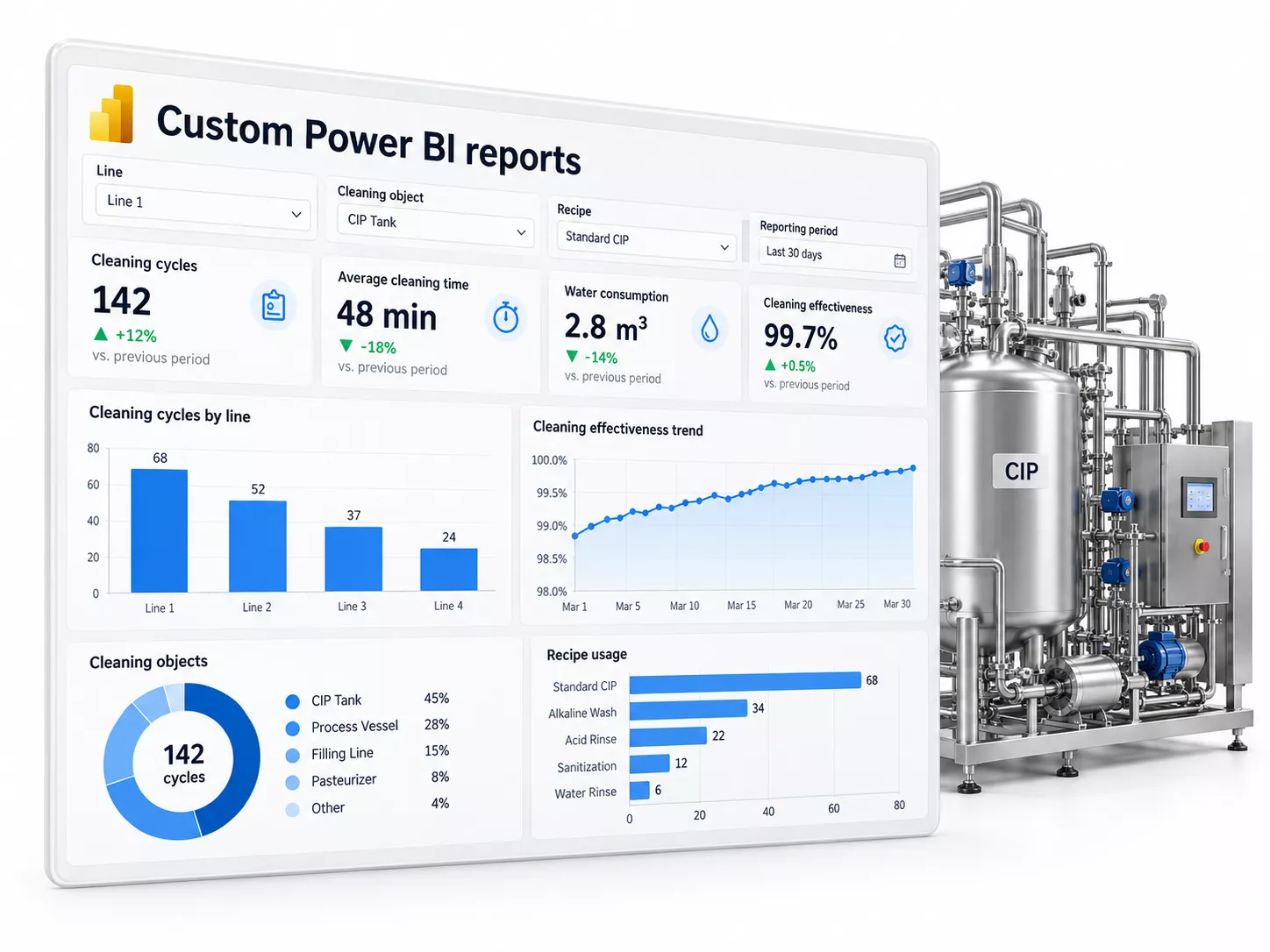
Develop reports around your KPIs, with agreed comparisons by line, cleaning object, recipe, or reporting period where the source data supports them.
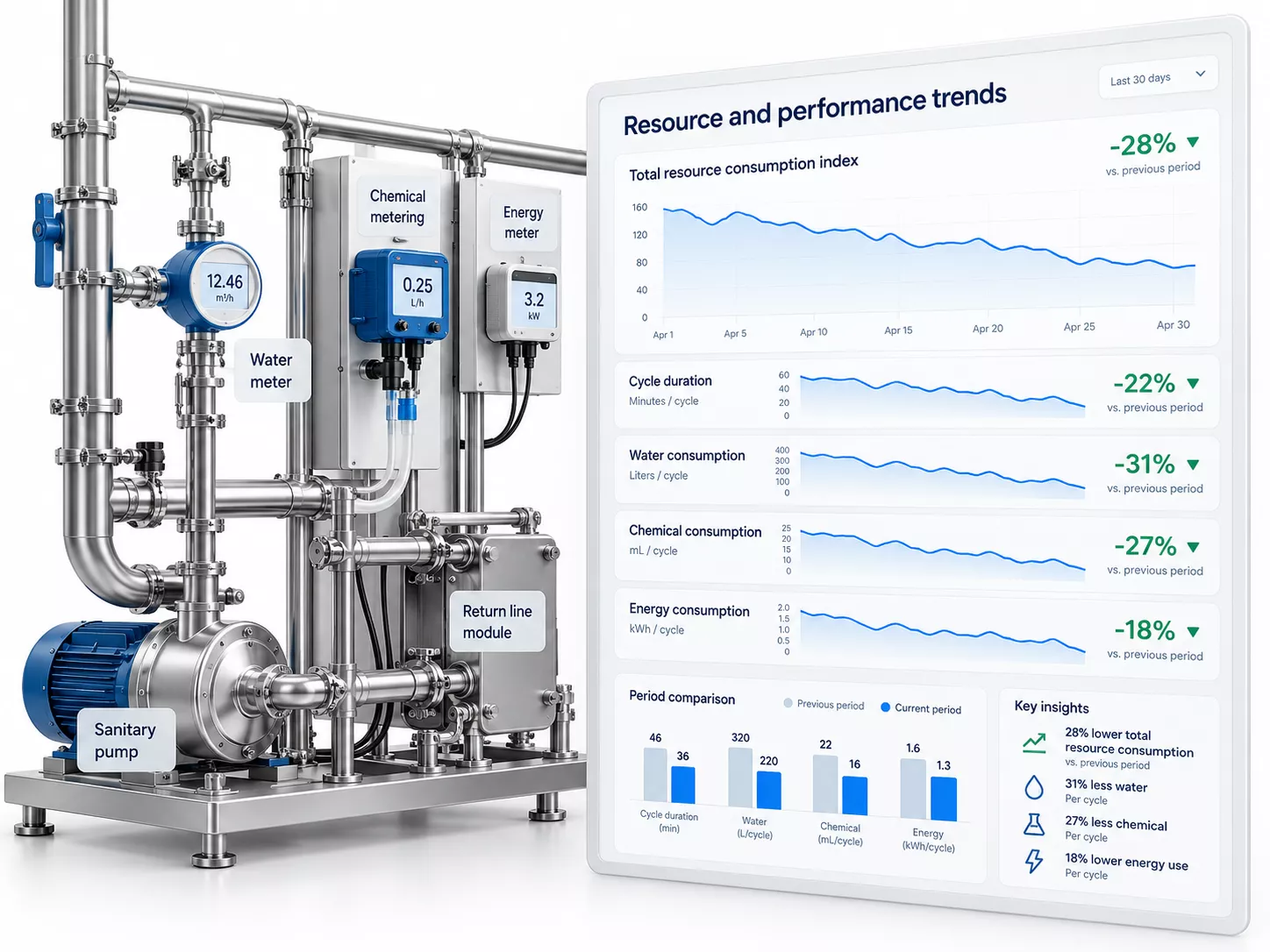
Track cycle duration and available consumption measurements to support investigation, resource reporting, and improvement planning.
SYSTEMS AND DATA SOURCES
WHAT WE ASSESS
Review 1 — Data sources and interfaces
Review the existing automation environment and available interfaces. Identify which signals can be connected and where additional measurement or integration work is needed.
Review 2 — Measurement and data quality
Check signal units, timestamps, sampling frequency, and gaps. Review measurement reliability so dashboards and reports reflect the available evidence.
Review 3 — Cycle and equipment mapping
Define how stations, lines, cleaning objects, recipes, and phases are identified. Confirm which events establish cycle boundaries for reporting.
Review 4 — Reports and performance indicators
Agree the cycle report content and Power BI KPIs needed by production, quality, engineering, and management, including calculation rules and comparison periods.
Review 5 — Notifications and follow-up
Define relevant thresholds, recipients, and review responsibilities. Agree how email notifications fit the plant’s existing response procedures.
Review 6 — IT requirements and rollout
Review hosting, connectivity, access, data retention, and support requirements with your IT team. Define the initial rollout scope and acceptance checks.
HOW THE SERVICE IS DELIVERED
01
Review your CIP stations, cleaning lines, current records, and reporting needs. Identify the questions each team needs the data to answer.
02
Check available signals, interfaces, and data quality. Agree any measurement gaps and review hosting, connectivity, and access requirements with IT.
03
Define connected lines, cycle boundaries, dashboard views, report content, KPI calculations, and email alert conditions. Establish acceptance criteria for the initial scope.
04
Connect agreed data sources and configure monitoring dashboards, automatic cycle reports, email notifications, and custom Power BI reports.
05
Check signal mapping, timestamps, cycle identification, report completeness, KPI calculations, and notification delivery against the agreed criteria. Resolve findings with the project team.
06
Introduce users to dashboards and reports, document the agreed setup and responsibilities, and extend coverage where required. Refine reporting as operational needs develop.
WHAT YOU GET
The agreed deliverables connect process data with the information your teams need for daily review. The package includes the configured FlowQeeper functions, documented data coverage, and acceptance results for the implemented scope. Further reporting or line connections can be planned as the project develops.

MAP
Documented sources, available signals, connected lines, cycle identifiers, and any limitations affecting monitoring or reporting.
LIVE
Configured views of the agreed CIP parameters for connected stations or lines, with process context supported by the available data.
REPORT
An agreed report structure populated from recorded cycle data for production, quality, and engineering review.
BI
Tailored KPI reports with agreed calculation rules, filters, and comparisons based on available historical and consumption data.
ALERT
Agreed alert conditions and recipients, with notification delivery checked during the pilot or acceptance review.
PLAN
Documented acceptance findings, user introduction, support responsibilities, and next steps for extending or refining the implemented scope.
WHY CIP EXPERTS
01

We relate process signals to cleaning phases, equipment, and operating requirements so the information remains meaningful for CIP review.
02

We define the integration scope, data limitations, and acceptance criteria with your production, quality, engineering, and IT teams.
03

We configure monitoring, reports, and notifications around your available data, plant environment, and team responsibilities.
04

We help turn report findings into focused engineering questions and practical next steps for validation, optimization, or modernization.
FAQ
Can an existing CIP station be digitalized?
Yes, subject to a review of the available data and interfaces. The scope may use existing signals, while missing measurements or connection limitations can require additional integration or instrumentation.
What does Digital Assistant FlowQeeper provide?
FlowQeeper provides monitoring dashboards, automatic cycle reports, email notifications, and custom Power BI reports. These functions are configured for the agreed lines, signals, and reporting needs.
What information is required to start?
An overview of your CIP stations and lines, available signal lists, automation and network information, sample cycle logs or reports, reporting goals, and IT requirements. Existing drawings and recipe information help establish process context.
Can Power BI reports be tailored to our plant?
Yes. Reports can be developed around agreed KPIs and comparisons by line, cleaning object, recipe, or period where the data supports them. Definitions, source coverage, and calculation rules are agreed during scoping.
How are deviations communicated?
Email notifications are configured for selected conditions and thresholds. Recipients and follow-up responsibilities are agreed with your team, and notification delivery is checked during implementation.
Does digitalization control recipes or validate cleaning automatically?
The described scope supports monitoring, reporting, and human review. Recipe changes and equipment control remain within the plant’s authorised automation workflow. Cleaning validation requires its own agreed criteria, assessment, and verification evidence.
Can implementation begin with one line?
Yes. A pilot can cover a selected line or station to check data mapping, dashboards, reports, and notifications. The setup can then be extended within an agreed rollout plan.
Related Pages

Tell us which CIP lines you want to monitor and what your team needs to report.
We will review the available data and define a practical digitalization scope.
Thank you for your request!
Our team will contact you soon to discuss your project and the next steps.
Request Sent
Thank you for contacting CIP Experts. Our manager will contact you within one business day.
